
Q1: How do I complete payment?
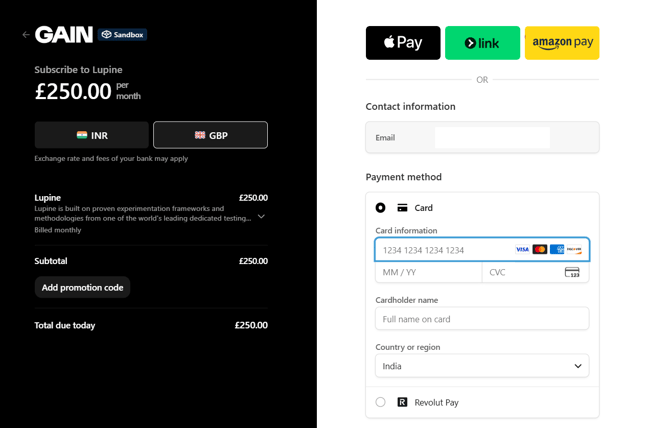
Once you select any plan for either Lupine or Spirea:
- You’ll be redirected to a secure payment page.
- Enter your payment details.
- Review your subscription and complete the transaction.
- Once the payment is successful, your subscription will be activated immediately.
Q3: What happens after payment?
- Subscription is activated.
- Full access is granted based on the selected plan.
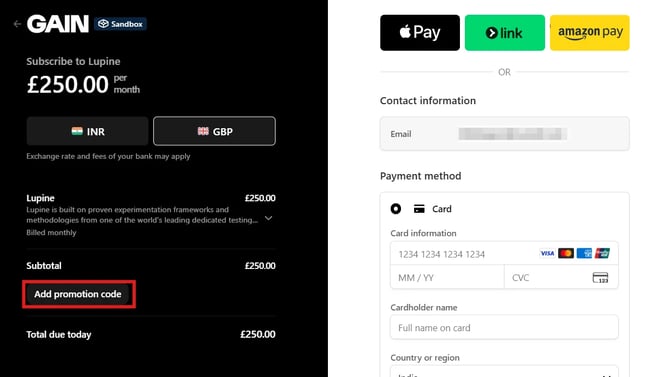
Q4: Can I apply promotional codes?
Yes, make sure to enter your PROMO CODE before checkout.
Q5: How do I cancel my subscription?
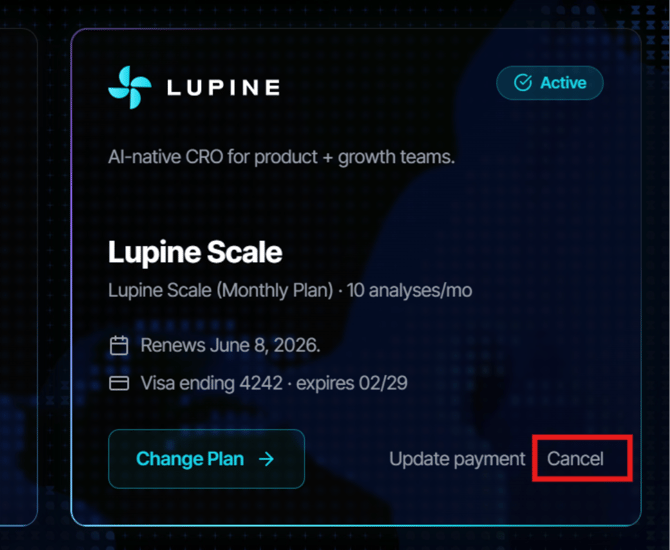
- Go to Settings → Billing
- Click Cancel
- Confirm cancellation
Note:
- Subscription remains active until billing cycle ends.
Q6: When does cancellation take effect?
Cancellations take effect at the end of your current billing period. You retain full access to GAIN IQ until that date and will not receive a pro-rata refund for the remaining time.
Q7: Will I receive a refund if I cancel early?
GAIN IQ does not offer pro-rata refunds for early cancellation. If you believe you have been charged incorrectly, contact our billing support team at iq.support@thisisgain.com.
Q8: Can I reactivate my subscription after cancelling?
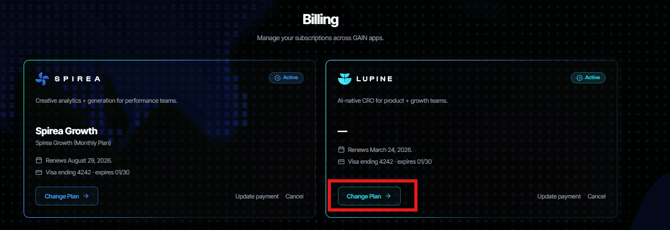
Yes. If your account has not been deleted, go to App Settings → Billing → Manage Billing, select Change Plan and select a new plan you wish to reactivate with. Your existing workspace, data, and settings will be restored.
Q9: What happens to my data after cancellation?
Once your subscription expires at the end of your billing period, you will no immediately longer be able to access your analyses, experiments, or variants. You may regain access to your analyses, experiments, and variants with an active subscription. Data is kept for as long as necessary to fulfil the purposes that we describe in our privacy statement, including to satisfy any applicable legal, tax-related, and other business requirements.
Q10: How do I delete my account or organization?
Only users can be removed from organizations within the GAIN IQ platform. If you wish to remove your organization entirely from the platform, please contact support at iq.support@thisisgain.com.
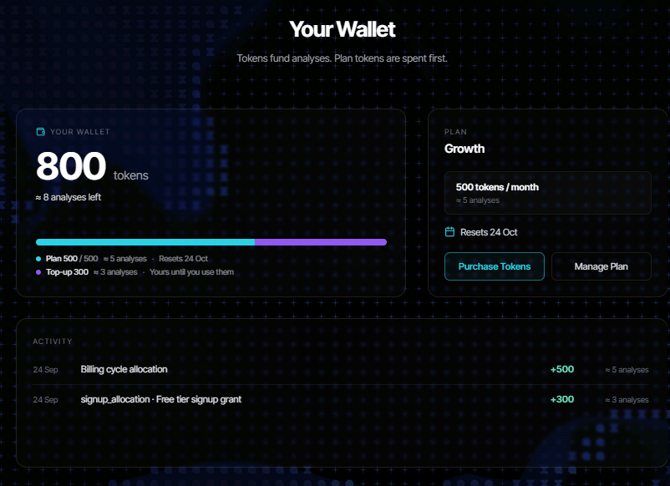
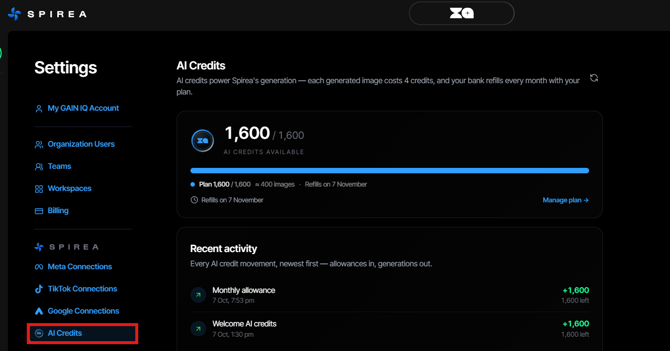
Q11: Where can I view my overall wallet reserves and transaction history?
FOR LUPINE
You can access a comprehensive ledger view of your wallet and past activity by navigating to Settings > Lupine > Analysis Usage.
FOR SPIREA
You can access a comprehensive ledger view of your wallet and past activity by navigating to Settings > Spirea> AI Credits.
Q12: How does the dashboard show the difference between my credit types?
The dashboard features a multi-color progress bar. It uses two distinct color legends to visually separate your active recurring plan tokens from your permanently banked top-up credits.
Q13: What specific details are recorded in my transaction history?
The Activity Ledger contains an immutable transaction log that displays the exact timestamps of your activities, specific analysis target runs, grant allocations, cycle credits, and token pack purchases.