What Does the Export Feature Do?
Lupine’s export feature extracts the visual variations, data insights, and underlying logic of your CRO experiments. Instead of taking manual screenshots or copying text, you can instantly generate a shareable package that explains what changed, why it changed, and how it looks.
Step 1: Select Your Experiment
Log in to your Lupine dashboard, navigate to your project, and open the specific experiment or variant set you want to export.
Step 2: Click the Export Button
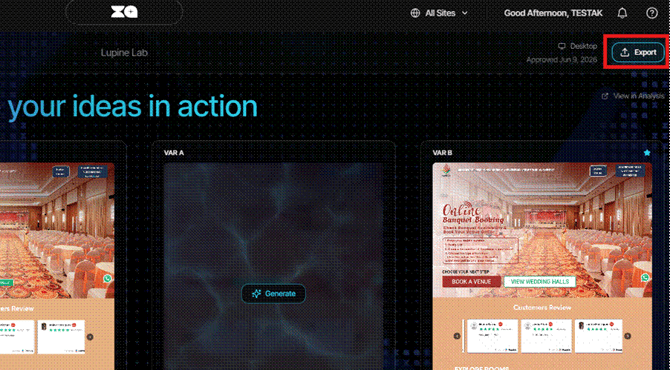
Look at the top-right corner of your screen and click the Export button to open the export configuration modal.
Step 3: Choose Your Export Format
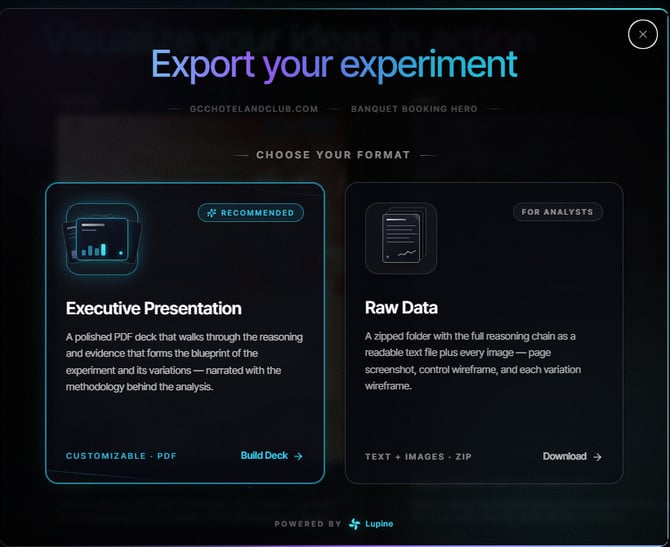
Lupine provides two export formats tailored to different audiences. Choose the one that best fits your needs:
- Option A: Executive Presentation (Recommended)
Best for: Product owners, clients, and leadership presentations.
Format: Polished PDF deck. - Option B: Raw Data & Assets
Best for: Developers, UI/UX designers, and data analysts.
Format: Compressed (.ZIP) folder.
Executive Presentation (PDF)
This polished, client-ready slide deck presents the full narrative of the experiment and is ideal for stakeholder reviews.
- The Original View: A snapshot of the control variant (Variant A).
- The Root Cause Analysis: The UX or conversion bottlenecks identified by Lupin.
- The Full Reasoning Chain: A step-by-step explanation of why the AI proposed specific changes.
- The Variant Overview: A clear look at the optimized variants (Variant B, C, and beyond), including the changes made.
Customize Executive Presentation Slides
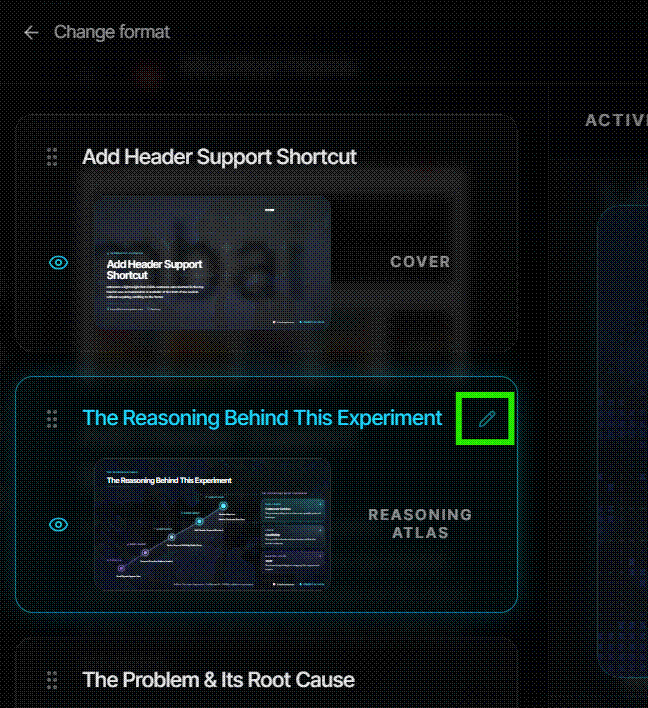
After exporting an experiment into an executive presentation, users can customize the slides with the following options by clicking the 'Edit" icon on each slide, where users can:
- Edit slide titles
- Reorder slides
- Hide slides (except the closing slide)
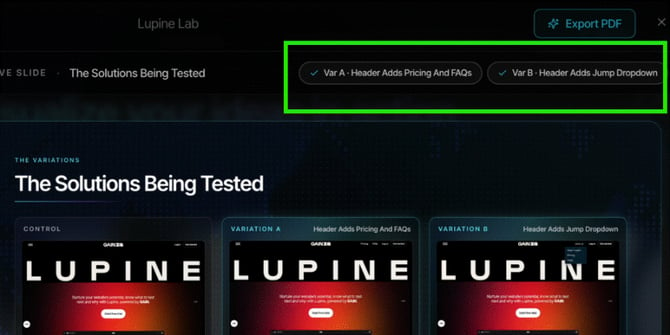
- Navigate to “Solutions Being Tested” slide.
- Select or deselect variants (e.g., Variant A or B).
Note: The closing slide cannot be hidden as it contains AI-generated disclosure information.
Select Variants in Presentation
Users can control which experiment variants appear in presentations on the "The Solutions Being Tested" slide and toggling between the variants shown:
2. Raw Data (ZIP File)
This export is designed for technical handoff and gives implementation teams the files they need to review and build the experiment changes.
- reasoning-chain.txt: A text file containing the raw copy, hypothesis, and structural reasoning behind the changes.
- Visual Assets: High-resolution .png images of wireframes, control pages, and generated CRO variants.
Pro tip: Use the Executive Presentation during sprint planning or stakeholder alignment meetings to get quick sign-off on new A/B test variants, then share the Raw Data ZIP file with your development team for implementation.