
How do I choose a platform and grouping level?
- Open Creative Performance.
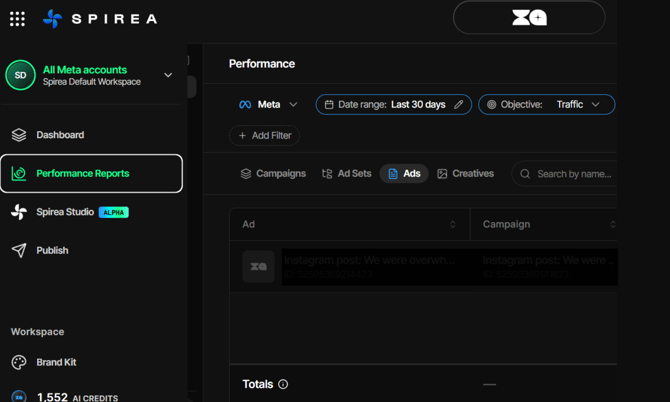
- Select Meta, TikTok or Google Ads.
- Choose a grouping level:
- Campaigns for a spend overview.
- Ad Sets, or Ad Groups on Google, for the next level of detail.
- Ads to review individual ads.
- Creatives to see how an asset performs regardless of how many ads use it.
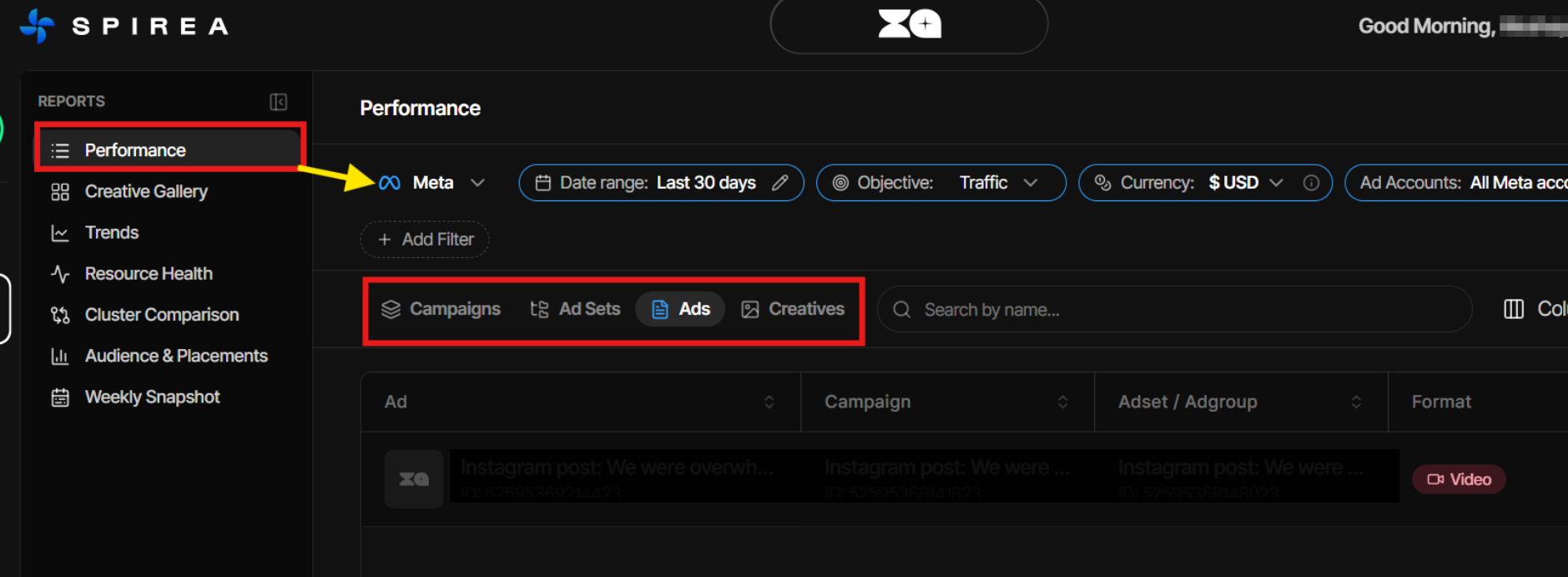
Columns adapt to the platform. For example, ThruPlays are not available on Google, while link clicks and likes are Meta-only.
How do I filter and customize the table?
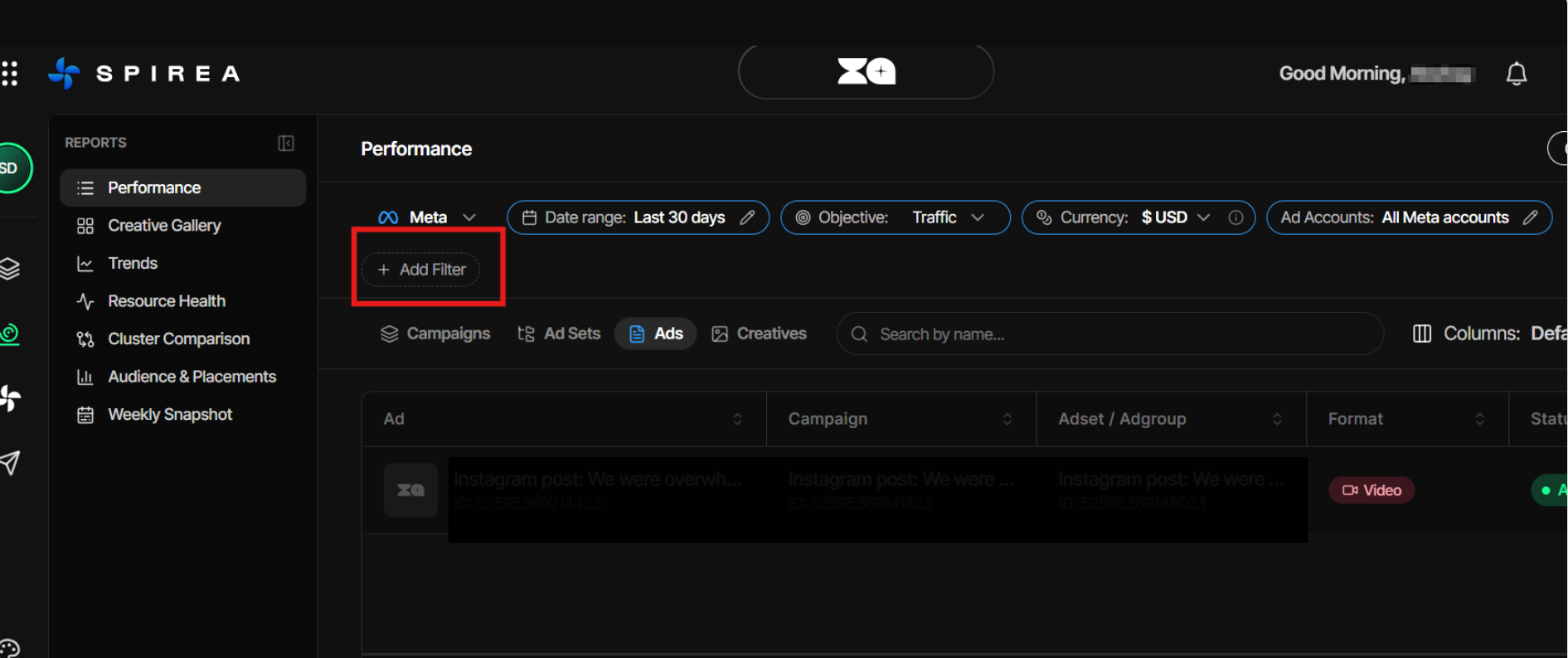
Date range, objective and currency are always active. Click Add Filter to filter by ad account, name, creative format, creative angle, concept, hook or numeric thresholds on a metric.
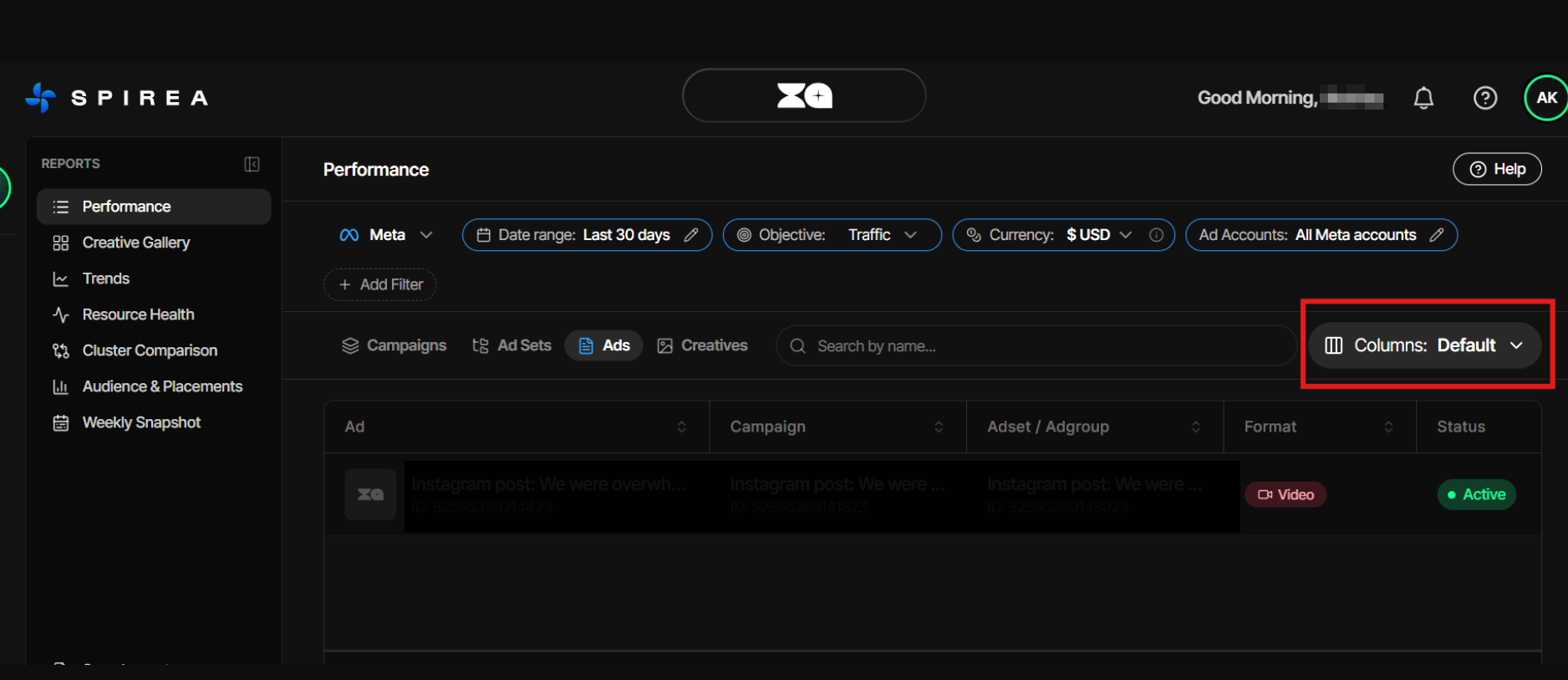
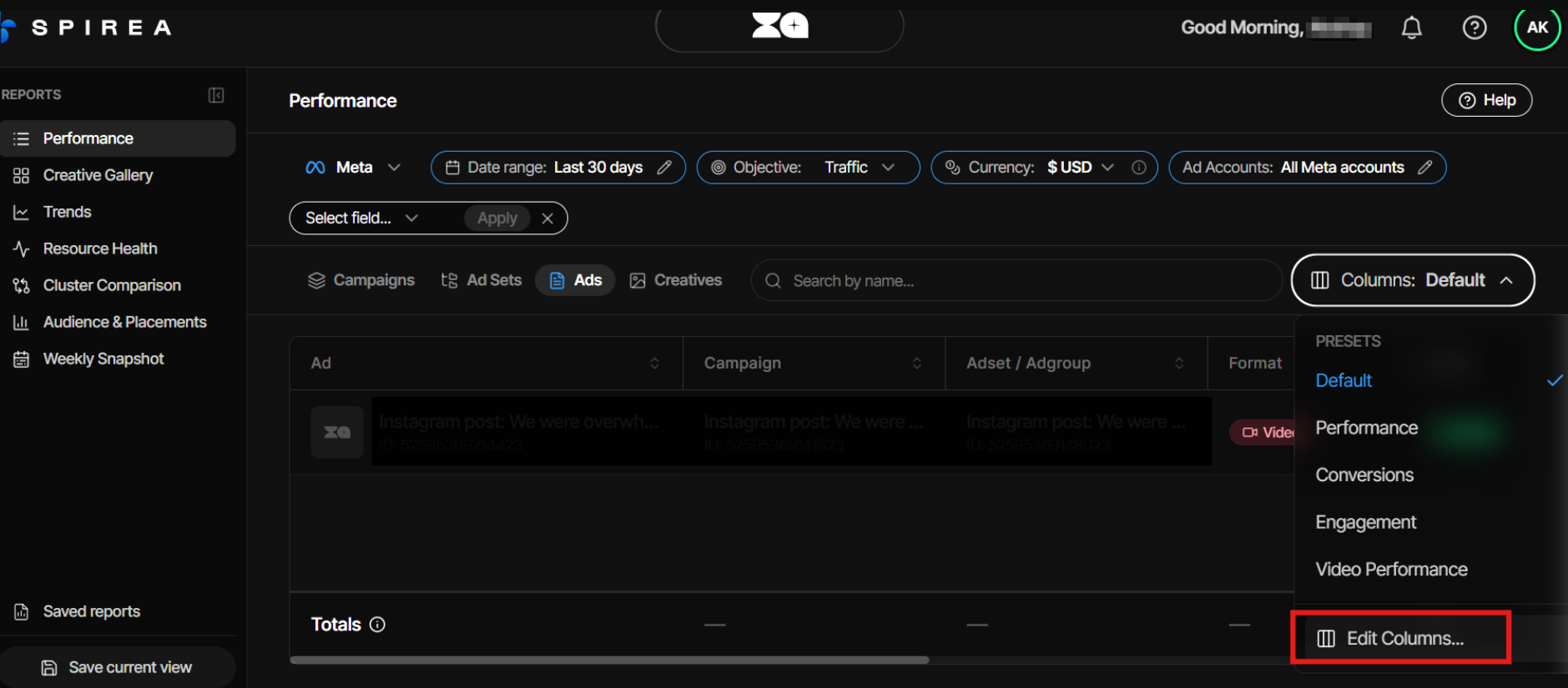
Click Columns to add, remove and reorder columns. The catalogue shows columns valid for the selected platform and includes groups for different objectives. Meta custom conversion events can appear as columns.
How do I save and reuse a report?
Spirea does not use a separate report builder. A report is a combination of settings that you rebuild in three parts:
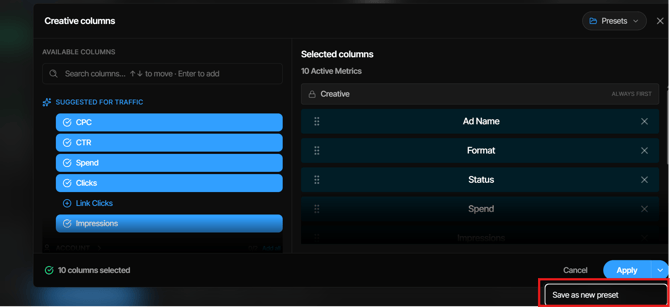
- Open Columns, choose the columns you need and save the selection as a preset.
-
Set filters, grouping level, view mode and date range each time you load the view.
- Use a creative detail view as a full page in a new tab when you need to share it, or export a Studio brief to PDF.
Presets are stored per platform and grouping level. They can be renamed, deleted or set as the default for that scope. The default presets are Default, Performance, Conversions, Engagement and Video.