
How do I create a workspace?
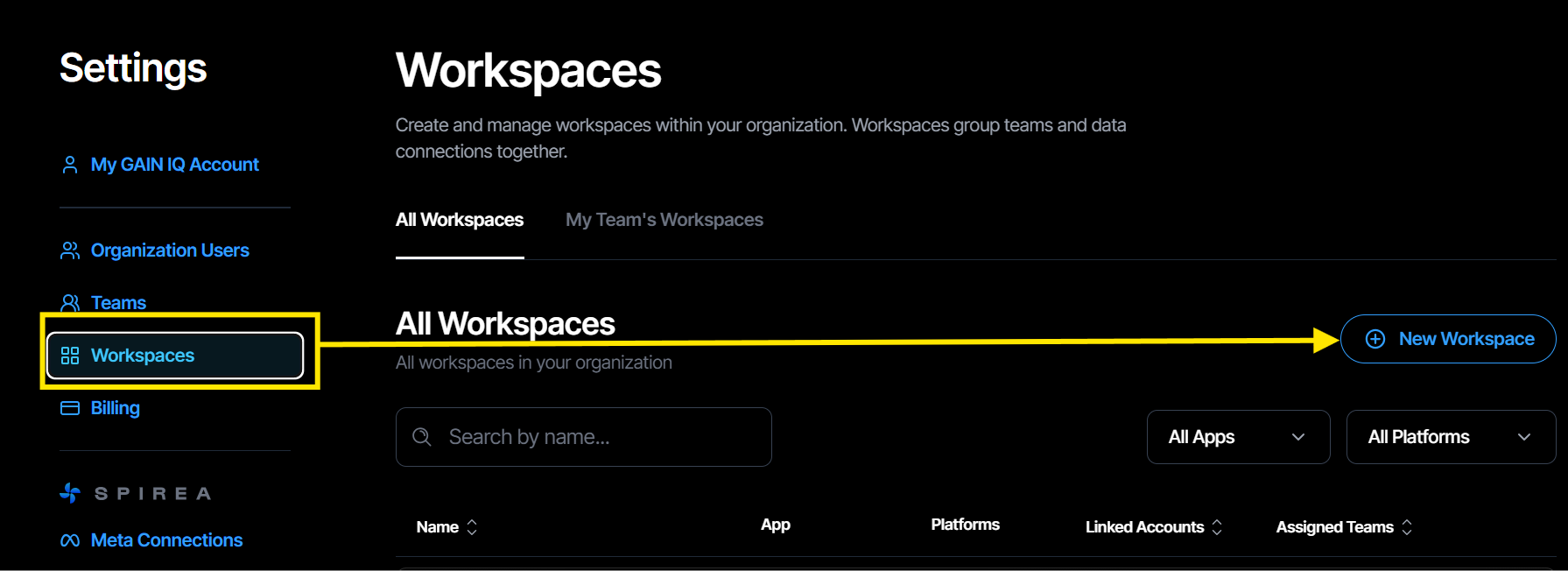
- In Settings, select Workspaces.
- Click Create Workspace.
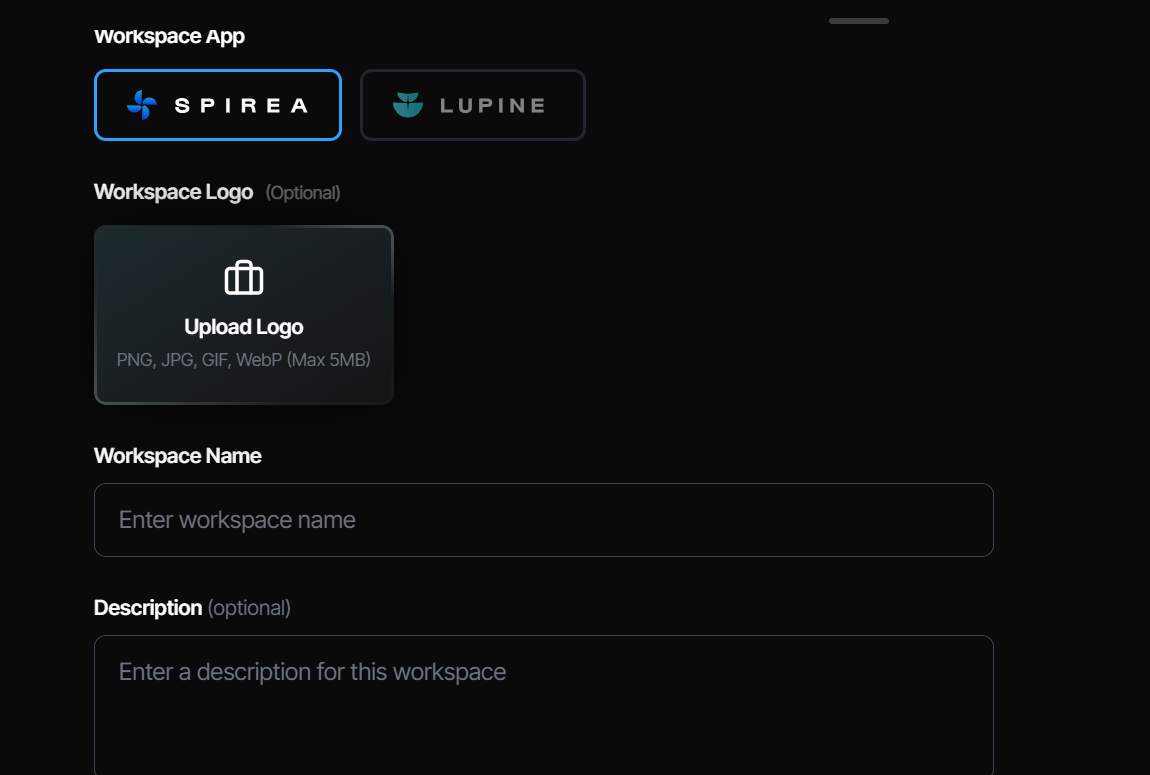
- Name the workspace and add a description, logo and currency.
- Select the ad accounts to include.
- Assign a team and set each member's permission level.
- Save the workspace.
Start with one account per workspace during your first week. This makes it easier to sanity-check spend against the platform before you aggregate data.
How do I switch workspaces?
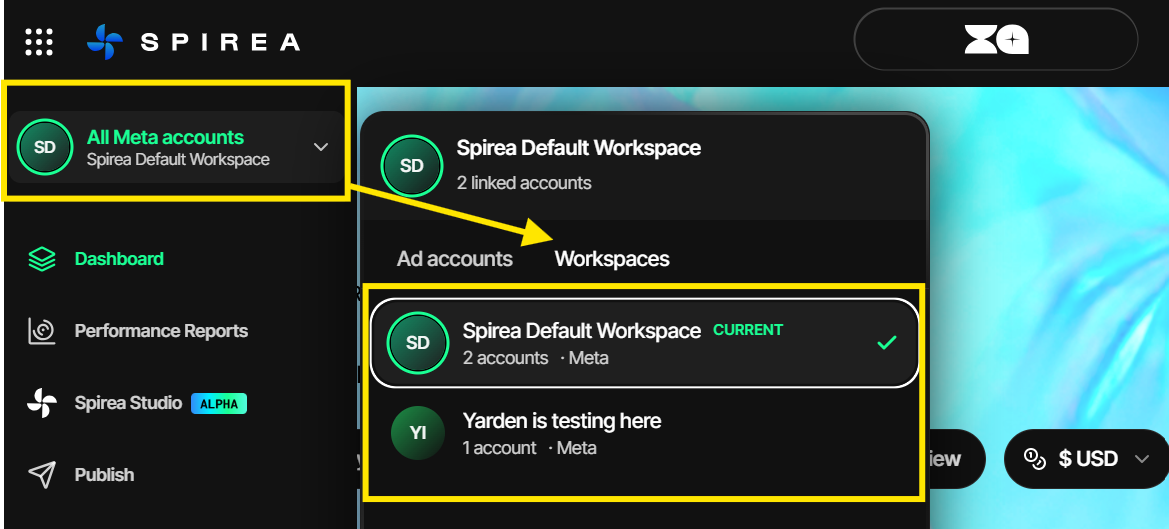
Use the workspace badge in the lower-left corner of the sidebar. Every dashboard, report and generation is scoped to the workspace currently selected.
How do teams and permissions work?
Teams are the main route into a workspace. Assign a team to a workspace and its members inherit the default permission you set. A per-user permission overrides the team default.
An organisation role does not automatically grant data access. Even an organisation administrator must be added to a workspace through a team or an explicit permission. Team administrators automatically receive full access to every workspace their team is assigned to.